Emirates ID Status Check: Your Definitive 2026 Guide to Tracking Your UAE Identity Card

The Emirates ID is an indispensable document for everyone living in the United Arab Emirates. Issued by the Federal Authority for Identity, Citizenship, Customs and Port Security (ICP), this smart card serves as official proof of identity and residency, containing vital biometric data and a unique 15-digit identification number that stays with you permanently.
From opening bank accounts and accessing healthcare to engaging with government services and even serving as a travel document for UAE citizens within the GCC, its importance cannot be overstated.
Whether you've just applied for a new card, are awaiting the renewal of an existing one, or are getting a replacement for a lost or damaged ID, knowing how to perform an Emirates ID status check is crucial. Staying updated on your application's progress helps you avoid delays, plan your official tasks, and ensures uninterrupted access to essential services across the UAE. This guide will walk you through all the official methods, explain status meanings, and offer troubleshooting tips for a seamless experience.
- Official Ways to Check Your Emirates ID Status
- What Information Do You Need to Check Your Emirates ID Status?
- Understanding Your Emirates ID Application Status Messages
- Emirates ID Processing and Delivery Timelines
- Troubleshooting Common Emirates ID Status Issues
- Emirates ID Renewal Status and Important Considerations
- The Digital Emirates ID: A Temporary Solution
- Pro Tips for a Smooth Emirates ID Application and Tracking Experience
- Frequently Asked Questions (FAQs) about Emirates ID Status Check
Official Ways to Check Your Emirates ID Status
The ICP provides several reliable channels to check your Emirates ID application status, ensuring you can stay informed from anywhere, anytime.
Using the ICP Smart Services Website (Recommended Method)
The official ICP website is the most common and reliable platform for checking your Emirates ID status. It's user-friendly and provides real-time updates.
- Visit the Official Portal: Navigate to the Federal Authority for Identity, Citizenship, Customs and Port Security (ICP) website. You can also directly access the Smart Services portal at smartservices.icp.gov.ae.
- Locate the Status Check Section: On the homepage, look for 'ID Card Status' or 'Check Application Status'. This is usually prominent.
- Enter Your Details: You will need to input one of the following:
- Application Number (PRAN): For new applications, this number is typically found on your application form.
- Emirates ID Number (IDN): For renewal or replacement applications, or to check an existing card's validity.
- Passport Number and Nationality: In some cases, especially for new applications or 'File Validity' checks, you can use your passport details.
- Submit and View: After entering the required information, click the 'Check Status' or 'Search' button. The system will then display the current status of your Emirates ID application.
Checking via the UAEICP Mobile App
For convenience on the go, the official UAEICP mobile application provides an excellent alternative to the website.
- Download the App: Search for 'UAEICP' in your device's app store (iOS App Store or Google Play Store) and download the official application.
- Launch and Log In: Open the app. You may need to log in using your UAE Pass or ICP account credentials.
- Access Status Feature: Navigate to the 'ID Card Status' section within the app.
- Enter Information: Provide your Application Number (PRAN) or Emirates ID Number (IDN), similar to the website process.
- View Status: Tap 'Submit' to see your latest application update. The app often provides real-time notifications, making tracking very convenient.
Through the ICP Customer Happiness Hotline
If you prefer direct assistance or encounter issues with online platforms, the ICP Customer Happiness Hotline is available.
- Dial the Number: Call 600 522222 from within the UAE.
- Follow Prompts: Listen carefully to the automated menu and select the option for Emirates ID status inquiries.
- Provide Details: When prompted, provide your Application Number (PRAN) or Emirates ID Number (IDN) to the representative or automated system.
- Receive Update: The system or representative will provide you with the most recent status of your application.
What Information Do You Need to Check Your Emirates ID Status?
The specific number you need depends on whether you're applying for the first time, renewing, or simply checking an existing card.
Using Your Application Number (PRAN)
The Personal Registration Acknowledgment Number (PRAN) is typically used for tracking new Emirates ID applications. This unique reference number is assigned to you upon successful submission of your application form, whether through the ICP website or an accredited typing center. Keep the receipt or application form where the PRAN is printed safe.
Using Your Emirates ID Number (IDN)
If you are tracking the status of an Emirates ID renewal, a replacement application, or simply want to check the validity of your existing card, you will use your current 15-digit Emirates ID Number (IDN).
Checking with Your Passport Number
For new applicants who might not yet have their PRAN, or for checking general 'File Validity' related to your residency, some ICP Smart Services options allow you to use your passport number along with your nationality and passport expiry date. This method is primarily for verifying associated visa and residency information rather than detailed ID card production status.
Understanding Your Emirates ID Application Status Messages
When you check your Emirates ID status, you'll encounter various messages. Here’s what each typically means:
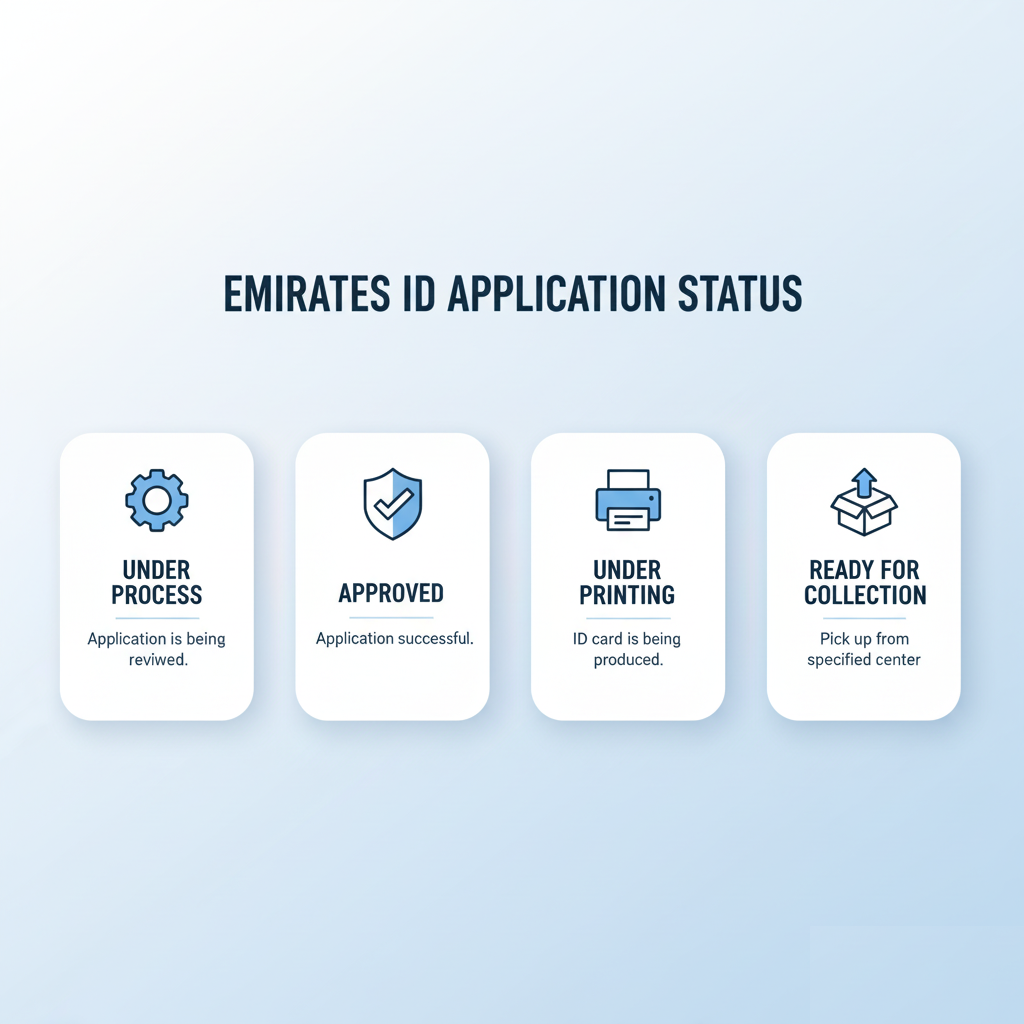
- Application Received: Your application form has been successfully submitted and is in the system.
- Under Process/Review: Your documents and application details are currently being reviewed by ICP officials.
- Biometrics Required: You need to visit an ICP Customer Happiness Centre to provide or update your biometric data (fingerprints and photo). This is mandatory for applicants over 15 years old or if it has been more than 10 years since your last biometric scan.
- Approved: Your application has been processed and approved. The card production phase will begin shortly.
- Under Printing: Your physical Emirates ID card is currently being manufactured.
- Issued/Printed: Your Emirates ID card has been successfully printed.
- Dispatched to Emirates Post: Your printed card has been handed over to Emirates Post for delivery.
- Ready for Collection: Your card is available for collection at a specified Emirates Post branch.
- Rejected: Your application has been denied for specific reasons. You should contact ICP for clarification.
- Pending: This generally means your application is still undergoing processing. Regular monitoring is advised.
Emirates ID Processing and Delivery Timelines
The standard processing time for a new Emirates ID application, once your residence visa is approved and biometrics are completed, typically ranges from 5 to 10 working days.
For those in a hurry, the ICP offers an urgent service known as 'Fawri'. This expedited service allows for the issuance of a new, renewed, or replacement Emirates ID within 24 to 48 hours, for an additional fee. This service is available at specific ICP Customer Happiness Centres across the UAE.
You will receive SMS notifications from ICP providing updates on your application status and the expected delivery date of your card.
Tracking Your Emirates ID Delivery with Emirates Post
Once your Emirates ID status shows 'Dispatched to Emirates Post' or 'Issued', the next step is to track its physical delivery. Emirates Post is the official courier for Emirates ID cards.
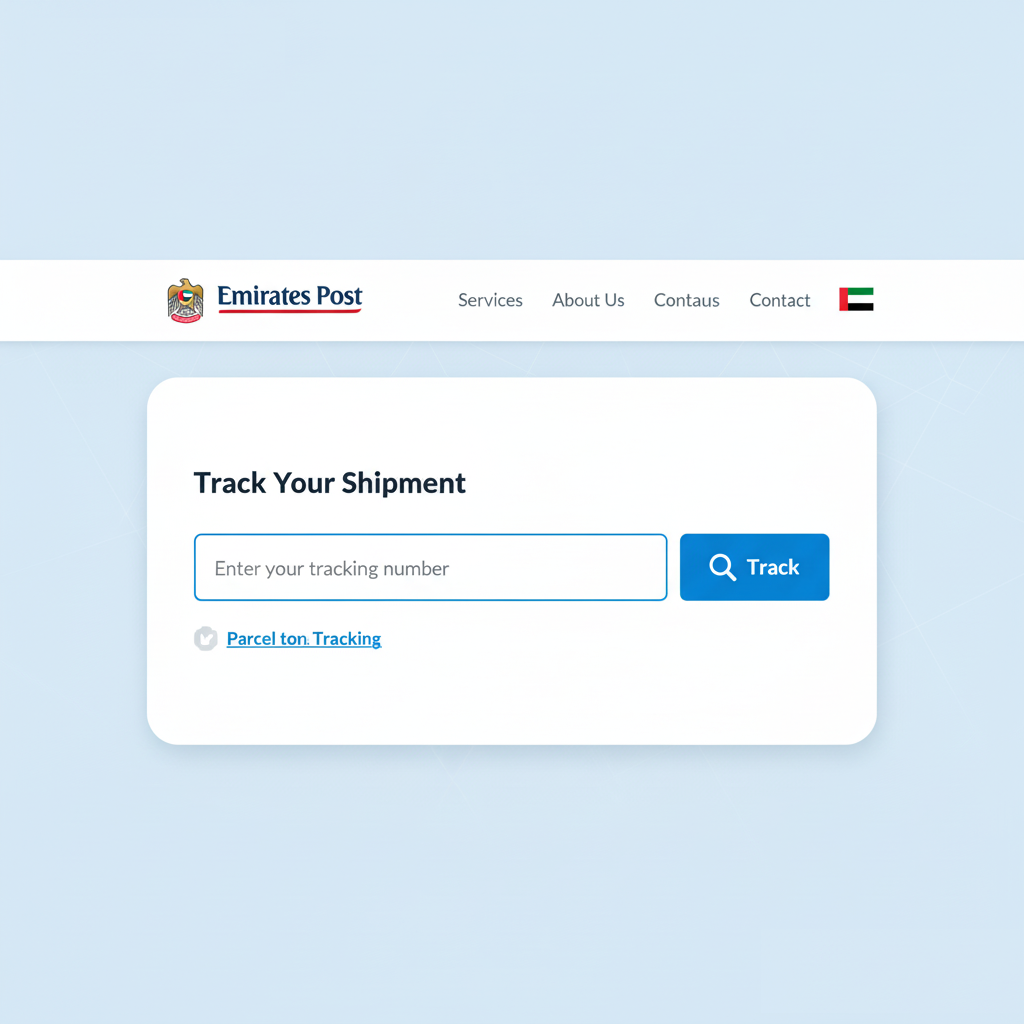
- Obtain Tracking Number: After your ID is issued, ICP will send you an SMS with an Emirates Post tracking number (sometimes referred to as a PRAN or reference number).
- Visit Emirates Post Website: Go to the Emirates Post official tracking website.
- Enter Tracking Number: Input the tracking number provided in the SMS into the designated field.
- View Delivery Status: The website will display the current delivery status of your Emirates ID, including whether it's out for delivery or ready for collection at a specific branch.
You can choose to collect your ID from your preferred Emirates Post branch, or in some cases, arrange for home or office delivery.
Troubleshooting Common Emirates ID Status Issues
While the process is generally smooth, you might encounter some hiccups. Here's how to address them:
- Status Not Updating or Delays: If your status remains unchanged for an extended period (e.g., more than 10 working days after biometrics) or you experience unexpected delays, first wait 48 hours for system updates to reflect. Then, contact the ICP Customer Happiness Hotline at 600 522222 or use their online inquiry form.
- Incorrect Information on Application: If you discover wrong details in your application after submission, visit the nearest ICP Customer Happiness Centre with your original passport and supporting documents for verification and correction.
- Card Dispatched but Not Received: If your online status shows 'Dispatched to Emirates Post' or 'Ready for Collection' but you haven't received it or an SMS for pickup, contact Emirates Post directly with your tracking number. You can call them at 600 5 99999 or email custservice@emiratespost.ae.
- Biometrics Appointment Needed: If your status indicates 'Biometrics Required' or you receive an SMS to book an appointment, do so promptly. Delays in providing biometrics can significantly hold up your application. You can often reschedule via the ICP website or by scanning the QR code on your application form.
Emirates ID Renewal Status and Important Considerations
Renewing your Emirates ID is as critical as applying for a new one, and tracking its status follows a similar procedure. It's legally mandated to renew your ID before it expires to avoid daily late fines of AED 20.
UAE Nationals can initiate the renewal process up to six months before their card's expiry, while residents typically renew their Emirates ID in conjunction with their residence visa renewal or reissuance. You can apply for renewal online via the ICP website or app, or through accredited typing centers. For details on Emirates ID typing fees, consult your chosen service provider.
Recent Changes for UAE Citizens: As of September 2025, the ICP introduced a simplified, single-step system for UAE citizens renewing or replacing their Emirates ID. This streamlines the application and payment process significantly.
It's also crucial to report any changes in your personal details, such as your mobile number or address, to the ICP within one month of the change to ensure your records are up-to-date. You can find more information about Emirates ID renewal pricing and procedures on our site.
The Digital Emirates ID: A Temporary Solution
In cases where your physical Emirates ID is under renewal, lost, misplaced, or damaged, you can utilize a digital version as a temporary solution. This digital Emirates ID can be accessed via the official UAEICP app or through the UAE Pass, the national digital identity system. It includes a QR code for verification, allowing you to prove your identity digitally when needed.
Pro Tips for a Smooth Emirates ID Application and Tracking Experience
To ensure your Emirates ID application and tracking process is as smooth as possible, keep these tips in mind:
- Keep Your PRAN Safe: Your Personal Registration Acknowledgment Number is your key to tracking new applications. Store it securely.
- Enable SMS Notifications: Ensure your registered mobile number is correct and that you've enabled SMS notifications from ICP to receive timely updates.
- Check Status Regularly: Monitor your application status every few days, especially if you're awaiting an urgent card or approaching deadlines.
- Ensure Document Accuracy: Double-check all submitted documents (passport, visa, photos) for accuracy and compliance with ICP guidelines to avoid unnecessary delays.
- Book Biometrics Promptly: If a biometric appointment is required, schedule and attend it as soon as possible. This is a critical step for many applications.
Frequently Asked Questions (FAQs) about Emirates ID Status Check
How accurate is the online Emirates ID status check?
The online Emirates ID status check via the ICP website and UAEICP app provides highly accurate, near real-time updates as it pulls directly from the official ICP database.
Can I change my Emirates ID delivery address after application?
Generally, changes to the delivery address might be possible if the card has not yet been dispatched to Emirates Post. You would need to contact the ICP hotline (600 522222) or visit a Customer Happiness Centre immediately to inquire about modifying the delivery details.
What if my Emirates ID application is rejected?
If your application is rejected, the status message will usually indicate this. You should contact the ICP Customer Happiness Hotline at 600 522222 or visit a Customer Happiness Centre to understand the specific reason for rejection and what steps you need to take to re-apply or appeal.
Is it mandatory to carry the physical Emirates ID card?
Yes, it is a legal requirement for all UAE citizens and residents to carry their Emirates ID card at all times. While the digital ID offers a temporary solution, the physical card is generally required for official purposes.
How can I check my Emirates ID validity?
You can check your Emirates ID validity by entering your Emirates ID number on the ICP Smart Services website (smartservices.icp.gov.ae) and selecting the 'File Validity' option under 'Quick Services'. This will confirm both your Emirates ID and associated visa validity.

I’m Samir, CEO of TypingCenterNear.me, where my team and I focus on delivering efficient document typing and management services. From visa applications to business registrations, we aim to make administrative processes smooth and hassle-free for our clients.
Leave a Reply